
Table of Contents
This guide explains how Google Shopping optimisation helps Perth businesses improve online visibility and sales through well-structured Shopping Ads. You’ll learn how Google Shopping works, what optimisation involves, and how Perth retailers can apply it to attract more local buyers. The article also shares best practices, setup tips, and an actionable checklist for e-commerce growth across Western Australia.
Why Google Shopping Matters for Perth Businesses
E-commerce in Perth is growing rapidly, with an increasing number of local shoppers turning to Google before making a purchase. Whether they’re searching for “eco candles in Fremantle” or “running shoes in Subiaco,” their first stop is often the product listings that appear right at the top of Google results.
That’s where Google Shopping optimisation makes a difference. It helps your products appear in those visual listings, giving Perth businesses a fair chance to reach new customers.
If you’re an online retailer or a local store offering delivery across Western Australia, learning how to use Google Shopping effectively can open doors to better visibility and steady sales.
Understanding Google Shopping and How It Works
Before diving into Google Shopping optimisation, it’s helpful to understand what Google Shopping is.
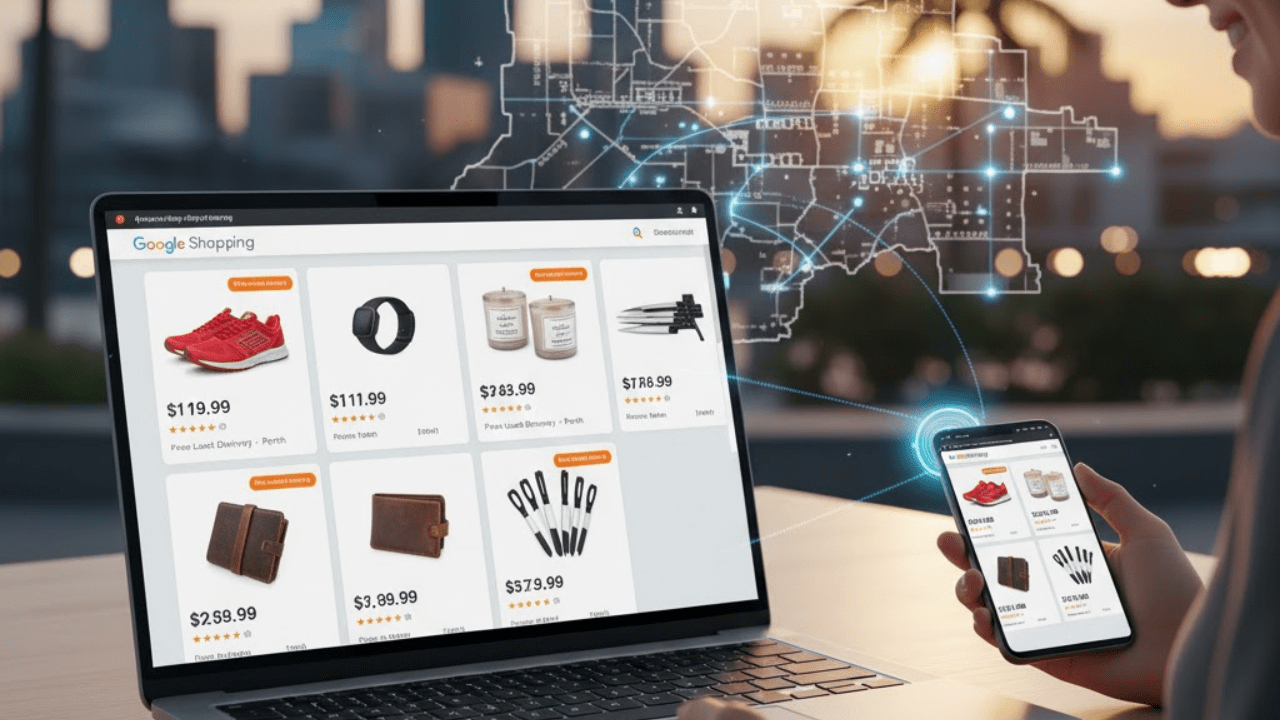
Google Shopping is a comparison service that shows products from various online stores. When users search for a product, they see images, prices, store names, and ratings all before clicking.
For example, a Perth customer searching for “men’s watches” might see multiple listings from different stores, allowing them to compare and make an instant decision.
Google Shopping gathers data from the Google Merchant Centre, which connects directly to your online store and Google Ads account. This setup allows businesses to run Shopping Ads that show relevant products to interested shoppers.
What Is Google Shopping Optimisation?
Google Shopping optimisation involves enhancing the presentation of your product data, images, and listings in Google’s Shopping results.
It involves refining several elements so your products appear for the right searches and attract genuine buyers. Examples include:
- Accurate product titles and descriptions
- High-quality images
- Competitive pricing
- Correct categorisation
- Updated stock information
For Perth retailers, it’s not just about visibility; it’s about ensuring local shoppers see the right product at the right time.
Why Google Shopping Optimisation Is Important for Perth Businesses
Here’s why investing time in Google Shopping optimisation is worth it:
- Local visibility: Perth customers often prefer buying from nearby stores, especially when delivery times are shorter.
- Better conversion rates: Optimised listings attract users who already intend to buy.
- Improved ROI: Well-structured ads help reduce wasted clicks and boost relevant traffic.
- Cross-device exposure: Voice, mobile, and desktop users all see Shopping Ads.
- Brand trust: Clear product listings with transparent information help build credibility.
These benefits support long-term growth, helping small to mid-sized Perth ecommerce stores compete with larger retailers.
How Google Shopping Ads Work
Google Ads runs Google Shopping campaigns using data from the Google Merchant Centre.
Here’s a quick overview of how they work:
- Product Feed: You upload your product details into Merchant Centre.
- Ad Campaign: You set up a Shopping campaign in Google Ads.
- Bidding Strategy: You determine the amount to pay for clicks.
- Ad Placement: Google automatically matches your products with search queries.
- Results Tracking: You monitor clicks, conversions, and impressions.
For Perth businesses, a well-optimised product feed and accurate targeting can significantly improve performance.
Essential Elements of Google Shopping Optimisation
1. Product Titles
Your product title helps Google understand what you’re selling.
Use a clear and specific title that includes:
- Product name
- Brand
- Colour or size (if relevant)
- Target keyword
Example:
Instead of “Running Shoes”, use “Men’s Running Shoes – Black – Perth Sports Store.”
Optimising your product data makes your listing more visible in Google Shopping search results.
2. Product Descriptions
Your descriptions should be simple, factual, and helpful.
Include details like:
- Material
- Features
- Uses
- Benefits
Avoid keyword stuffing. Focus on clarity and accuracy, which are key for good Google Shopping optimisation.
3. Images
Use high-quality photos with a plain background.
Make sure:
- The product is centred and well-lit.
- There’s no watermark or logo overlay.
- The store provides multiple product angles whenever possible.
Professional images improve your click-through rate and strengthen your Google Shopping optimisation score.
4. Pricing and Promotions
Competitive pricing can help your listing stand out from the crowd.
If your Perth store runs seasonal sales, update them in the Merchant Centre to appear automatically in Shopping results.
Accurate, fair pricing supports your overall Google Shopping optimisation strategy.
5. Product Categories
Always assign your products to the most relevant Google Product Category.
For example:
- “Home & Garden > Kitchen & Dining > Cookware > Frying Pans.”
The more specific your category, the better your Google Shopping optimisation outcome.
Setting Up Google Shopping Ads: Step-by-Step
If you’re a Perth retailer starting, here’s how to set up your first campaign:
- Create a Google Merchant Centre Account
Add your business details and verify your website. - Upload Your Product Feed
Include all product data (title, description, price, availability, and image links). - Link Merchant Centre to Google Ads
The Google Ads platform allows businesses to create and manage Shopping campaigns. - Set Your Bidding Strategy
Choose from options such as Smart Bidding or Manual CPC, depending on your objectives. - Target Your Audience
Focus on Perth and the surrounding WA regions for local impact. - Launch and Monitor
Once live, monitor performance and adjust based on data.
An effective setup combined with Google Shopping optimisation gives your products better visibility in search results.
Checklist: Google Shopping Optimisation for Perth Businesses
Use this practical checklist to fine-tune your campaign:
| Task | Action | Status |
| 1 | Create and verify a Google Merchant Centre account | ☐ |
| 2 | Upload an accurate, detailed product feed | ☐ |
| 3 | Write clear product titles with keywords | ☐ |
| 4 | Add specific, readable product descriptions | ☐ |
| 5 | Use high-quality, plain-background images | ☐ |
| 6 | Categorise products correctly | ☐ |
| 7 | Keep prices and stock up-to-date | ☐ |
| 8 | Link Merchant Centre with Google Ads | ☐ |
| 9 | Target Perth and WA regions | ☐ |
| 10 | Monitor clicks, impressions, and conversions | ☐ |
Following this list ensures your Google Shopping optimisation stays consistent and adequate.
Best Practices for Google Shopping Optimisation
Here are several proven strategies that help improve performance for Perth ecommerce stores:
Use Long-Tail Keywords
Include more specific keywords in your titles and descriptions to improve search engine visibility.
For example: “organic soy candle Perth” rather than just “candle.”
Update Product Feeds Regularly
If your inventory or prices change, update them immediately in the Merchant Centre to avoid product disapprovals.
Leverage Negative Keywords
Exclude irrelevant searches to reduce wasted ad spend.
Test Smart Shopping Campaigns
Google’s automated Smart Shopping feature can simplify optimisation and targeting.
Measure Performance
Use Google Ads and Merchant Centre insights to track which products perform best, then optimise based on that data.
Applying these principles to your Google Shopping optimisation strategy helps keep your Perth business competitive and visible.
Common Google Shopping Optimisation Mistakes
Avoiding common errors can save you time and budget.
1. Missing or Inaccurate Product Information
Google may disapprove listings if the data is incomplete.
2. Ignoring Local Targeting
If you don’t specify Perth or WA in your targeting, you might miss your ideal customers.
3. Poor Image Quality
Low-resolution or cluttered images can lead to fewer clicks.
4. Outdated Stock or Pricing
If customers click on an unavailable item, they’re unlikely to return.
By correcting these, your Google Shopping optimisation becomes more efficient and reliable.
Understanding the Perth Market for Google Shopping
Perth’s ecommerce scene has grown steadily, with more local businesses shifting online since 2020. Customers expect fast delivery, transparent pricing, and a smooth online experience.
That means Google Shopping optimisation isn’t just about showing up in searches; it’s about building local trust.
For example:
- A Perth fashion store can use Shopping Ads to reach nearby customers looking for same-day pickup.
- A homeware brand in Subiaco can promote limited stock to boost urgency.
When your ads match the local tone and demand, your Perth business connects more naturally with WA shoppers.
Integrating Google Shopping Optimisation with Broader Marketing
To get the most from your efforts, combine Google Shopping optimisation with other digital marketing channels:
- SEO: Improve organic visibility with strong product pages.
- Social Media: Promote your top-selling items across Facebook and Instagram to increase sales.
- Email Marketing: Retarget users who viewed or clicked your Shopping Ads.
- Remarketing: Re-engage customers who added products to their cart but didn’t complete the purchase.
These elements, when combined, create a comprehensive strategy for e-commerce success in Perth.
Tracking Performance and Improving Over Time
Optimisation is an ongoing process. Perth businesses should check metrics such as:
Use these insights to fine-tune your Google Shopping optimisation.
If certain products perform well, promote them more often. If others don’t, adjust pricing, descriptions, or imagery.
Frequently Asked Questions About Google Shopping Optimisation
Q1: How long does Google Shopping optimisation take?
It varies, but most Perth businesses notice gradual improvements after consistent updates and testing.
Q2: Can small businesses benefit from Google Shopping optimisation?
Yes. Even small Perth stores can reach local buyers effectively with well-structured product feeds and smart bidding.
Q3: Do I need an online store to use Shopping Ads?
Yes. You need a website where customers can make direct purchases.
Q4: How often should I update my product feed?
Whenever your pricing, stock, or new product details change.
Q5: What’s the best way to test ad performance?
Run A/B tests using different titles, images, or bidding strategies to see what works best for your Perth market.
The Future of E-commerce and Google Shopping in Perth
As Perth continues to embrace e-commerce, Google Shopping optimisation will remain a key driver of visibility and sales.
Increasingly, consumers are comparing prices, reading reviews, and making purchases directly through search results. Businesses that optimise their listings now will be better prepared for this shift.
By understanding local intent, maintaining accurate product data, and refining your campaigns, your Perth store can stay competitive in a growing digital space.
Final Thoughts
Google Shopping optimisation is a practical, data-driven way to help Perth ecommerce businesses grow online. With consistent effort, accurate listings, and smart targeting, you can connect with more shoppers in Western Australia who are ready to buy.
Optimising your Shopping Ads is less about big promises and more about steady, informed adjustments that create long-term success.
Ready to Improve Your Google Shopping Campaigns?
If you’re looking to strengthen your Google Shopping optimisation strategy, Genghis Digital can help. Our team supports Perth businesses with tailored guidance, setup assistance, and campaign management to improve e-commerce performance across WA.
Contact Genghis Digital today to learn how to optimise your Google Shopping Ads and grow your online store in Perth.